 Extract Text From Video
Live Text makes you pause.
We scan the whole video.
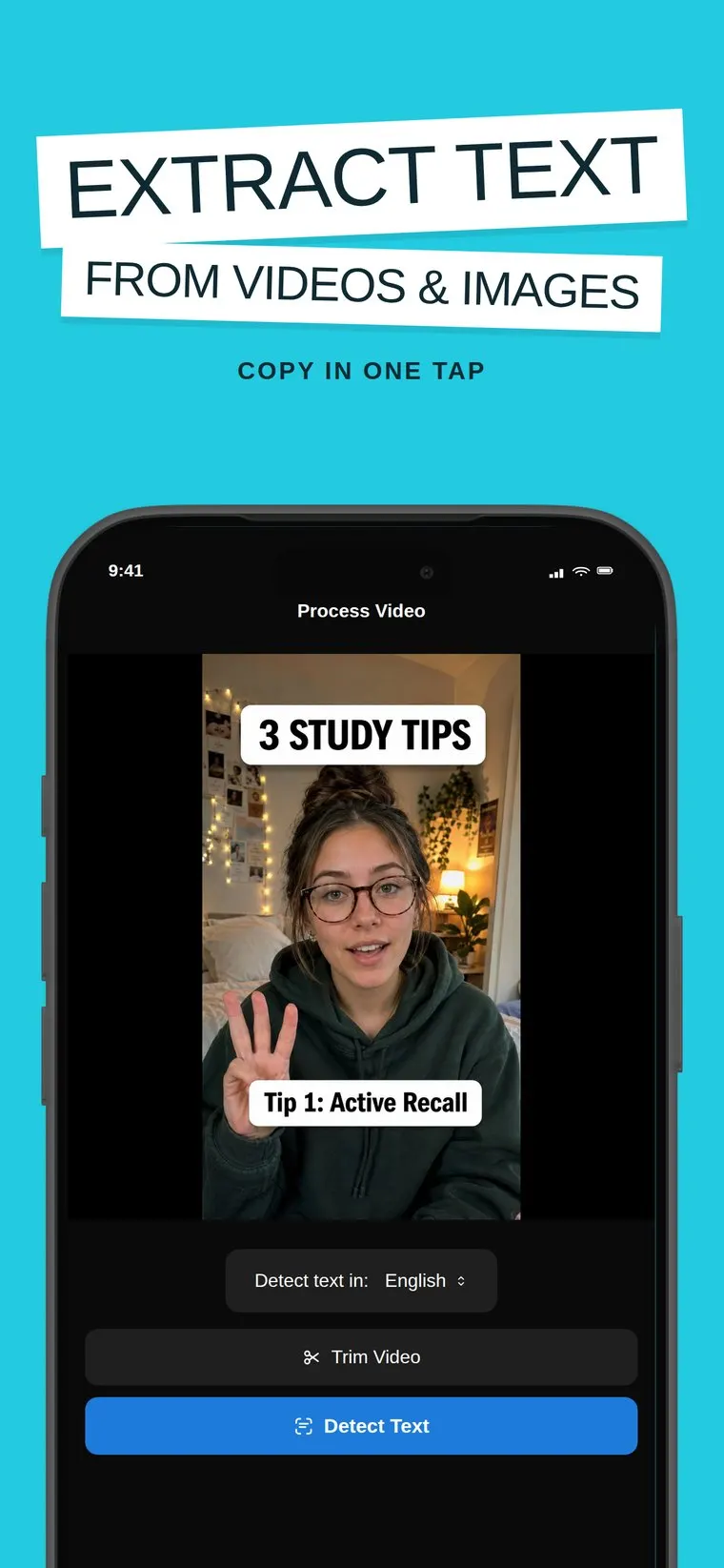
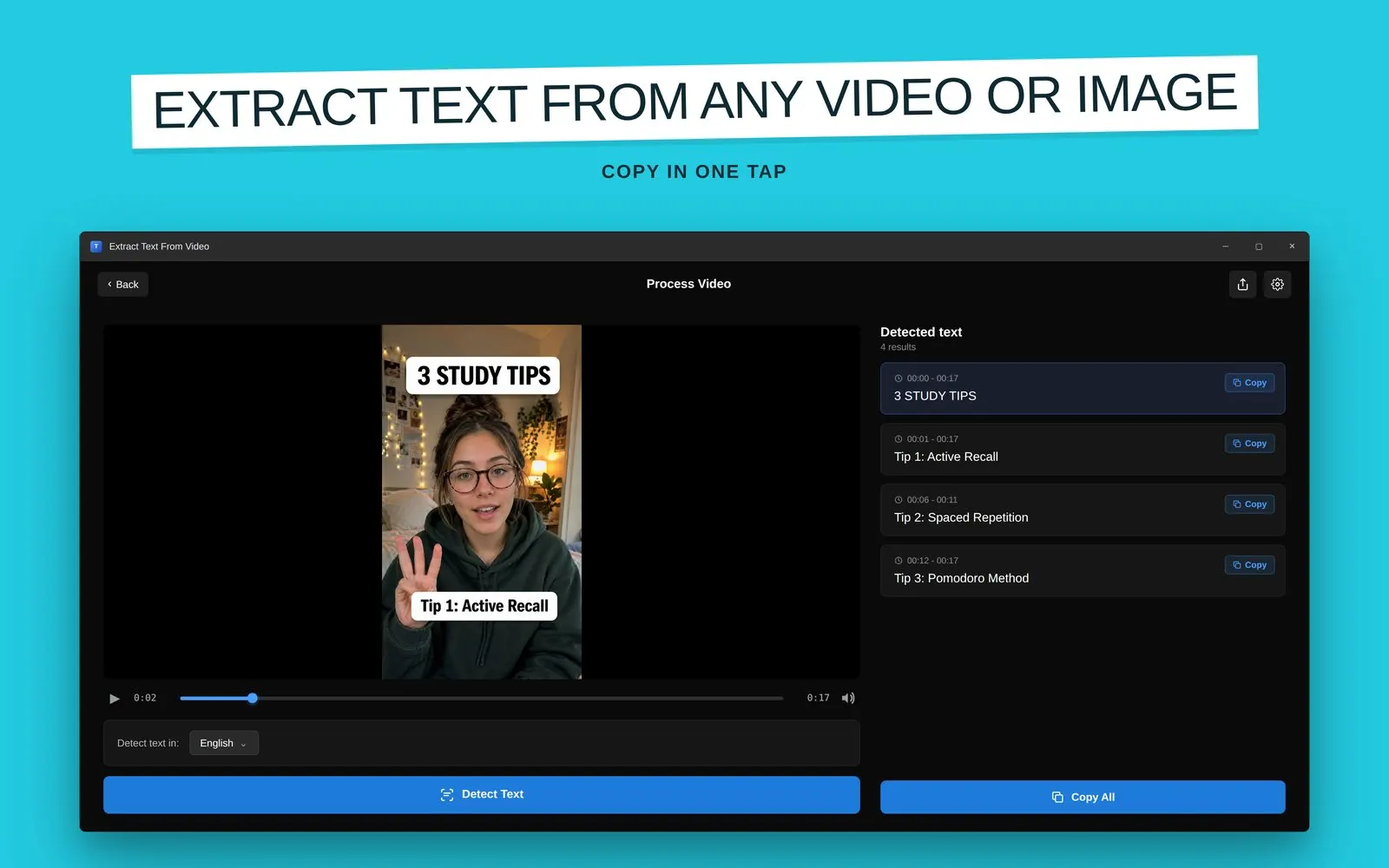
Extract Text From Video is a free AI OCR app by A17Lab for iPhone, iPad, and Mac, with companion apps for Windows and Chrome. It scans a whole video on your device, and every subtitle, caption, code snippet, and overlay becomes selectable text you can copy, translate, and export to TXT or SRT. Your videos are never uploaded.
Download
One OCR engine. Every screen you own.
Native apps for each platform, plus a Chrome extension.
iPhone & iPad
Scan videos and photos straight from your library. iOS 18+.
App Store →Mac
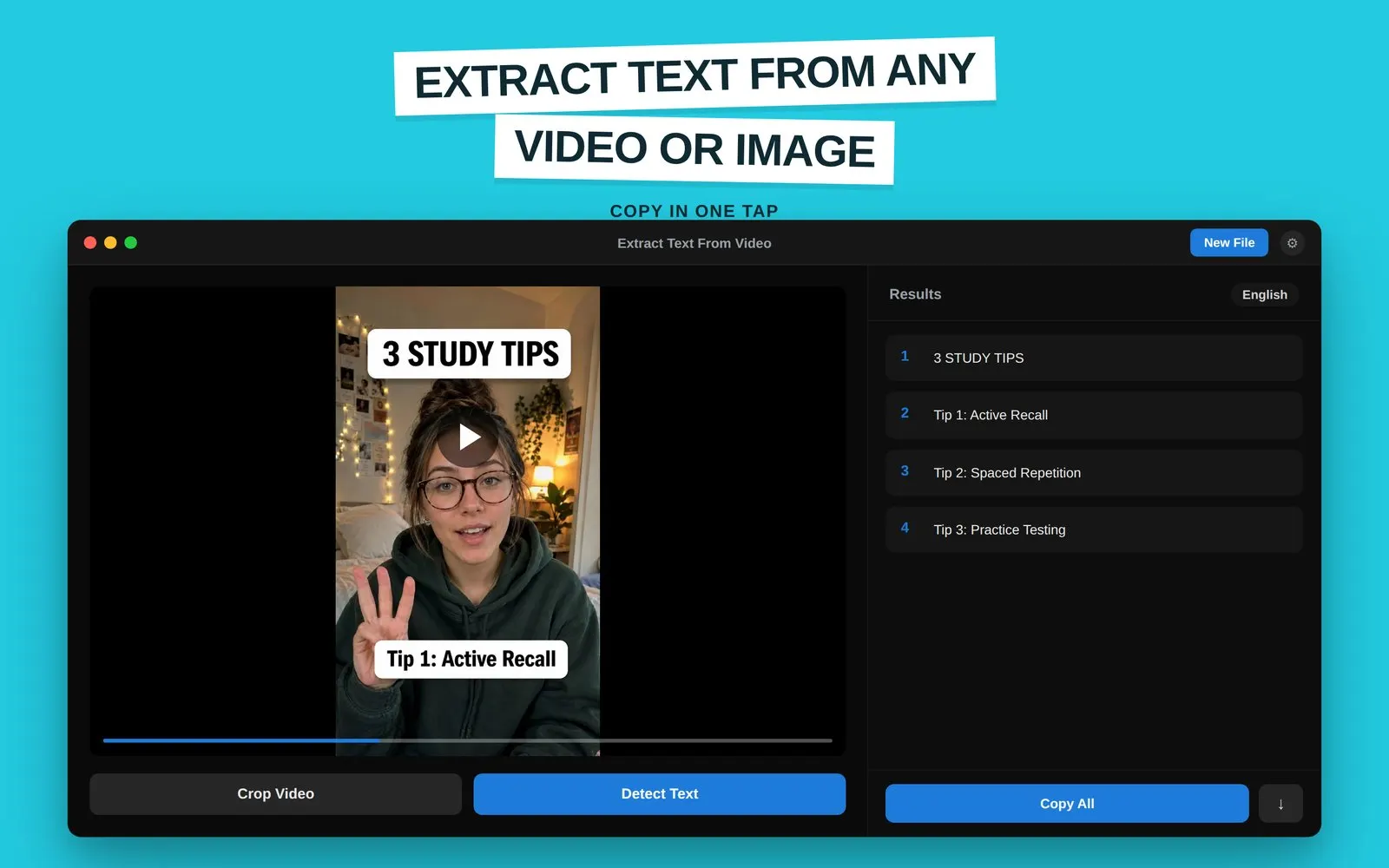
Drag, drop, extract — with crop tools and one-tap Copy All. macOS 13+.
Mac App Store →Windows
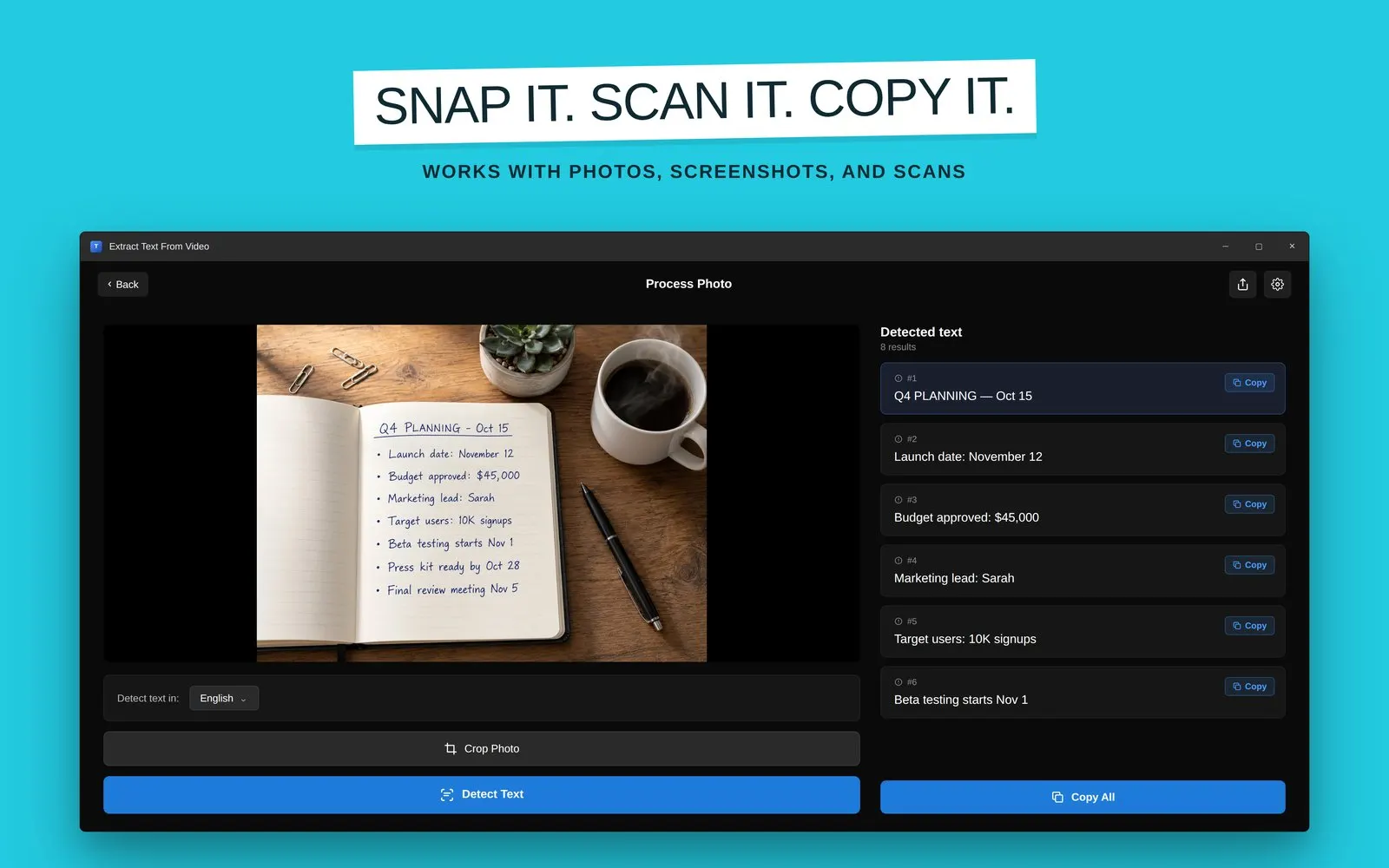
Image to Text: Extract from Photo & Video — with batch processing.
Microsoft Store →Chrome
TextSnap extension: copy text from videos and images right in the browser.
Chrome Web Store →In action
Every word on screen, made copyable
Real captures across platforms: video text detection with timestamps, translation, and photo extraction.
How it works
Import. Scan. Copy.
Add a video or photo
MP4, MOV, AVI, WMV videos (up to ~15 minutes) or JPG, PNG, WEBP, HEIC images — from your library, screen recordings, or saved clips.
AI OCR scans everything
The engine reads every frame and detects subtitles, captions, code, signs, and overlays on your device. Nothing is uploaded.
Copy, translate, export
Copy any detected text, translate it (15 languages on iPhone and iPad), export to TXT or SRT, and keep your history synced via iCloud on iPhone and iPad.
Guides
The text-from-video problems people actually search for
Each guide answers one question, then shows the exact workflow in the app.
How to Copy Text From a Video on iPhone
Live Text works one paused frame at a time. Here's how to grab all the text from an entire video at once.
Read the guide → Pillar guideHow to Extract Text From a Video (Every Method)
Retyping, Live Text, Google Lens, Windows tools, online uploaders, and on-device OCR in one comparison table.
Read the guide → YouTubeHow to Extract Text From a YouTube Video
Copy code from tutorials, slides from lectures, and lists from video essays without typing them out.
Read the guide → TikTokHow to Copy Text From a TikTok Video
Recipes, book lists, and captions locked inside TikToks — get them into your notes in seconds.
Read the guide → Screen recordingsExtract Text From a Screen Recording
Error messages, code, and meeting slides captured in recordings — turn them back into editable text.
Read the guide → TranslationHow to Translate Text in a Video
Foreign signs, menus, and subtitles: detect the text, then translate it into your language.
Read the guide → Video to textVideo to Text: OCR vs Transcription Explained
Two very different problems share one search term. Which one do you actually need, and which tool solves it?
Read the guide → SubtitlesExtract Hardcoded Subtitles From a Video
Burned-in subtitles have no subtitle file to download — but OCR can read them straight off the frames.
Read the guide → MacExtract Text From a Video on Mac
Live Text reads one paused frame. The Mac app scans every frame: drag, drop, Detect Text, Copy All.
Read the guide → WindowsExtract Text From a Video on Windows
Beyond snipping-tool OCR: scan whole videos and batch-process folders of files, all locally on your PC.
Read the guide → ChromeCopy Text From a Video in Your Browser
YouTube, courses, web TikToks: pause, snap the region with the TextSnap extension, paste. No download.
Read the guide →FAQ
Frequently asked questions
How do I copy text from a video on iPhone?
Can I extract text from a YouTube video?
Does this transcribe speech to text?
Can it extract hardcoded (burned-in) subtitles?
Can I translate the text found in a video?
Is my video uploaded anywhere?
What formats and video lengths are supported?
Is it available on Mac, Windows, or as a Chrome extension?
Does it work on photos and screenshots too?
Ready to scan
Stop retyping what's already written
Free to download. On-device AI OCR for videos and photos, translation, TXT and SRT export. The app never uploads your videos.
Download Extract Text From Video free